24
Cavities
Controlled entry option
Baseline among the published options
Use when 24 cavities meet confirmed output with operating and maintenance margin.
Review 24-Cavity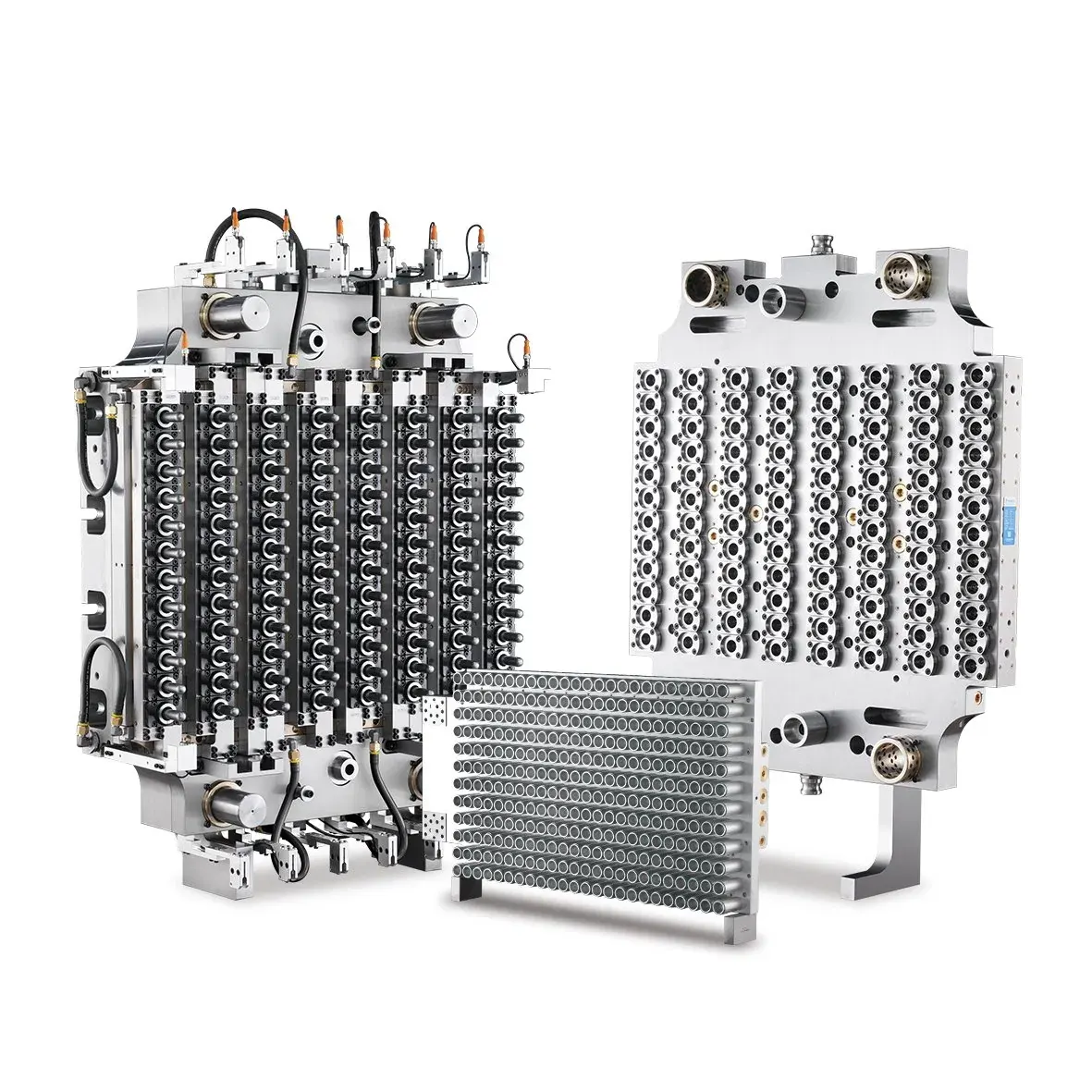
Cavity selection center
Work backward from required output and a verified cycle before choosing 24, 32, 48, 64, 72 or 96 cavities.
Preform weight defines part mass per cycle. Verified trial or production data establishes the cycle basis. The final choice also matches the exact injection machine, mold envelope, runner, cooling, controls and operating plan.
Capacity calculation
Enter the approved preform weight and required running output. Add a verified cycle only when it comes from a comparable preform, machine and cooling condition.
Cavity feasibility
Cavity comparison
Enter weight and output
The result will show the cycle ceiling and part mass for 24, 32, 48, 64, 72 and 96 cavities. A specific recommendation appears only when a verified cycle is entered.
The comparison uses preform weight for part mass and a verified cycle for output selection. Wall thickness, geometry, PET resin, cooling water, hot runner, machine performance and quality requirements complete the engineering review.
Published cavity range
Every card shows the capacity relationship for one project basis. Compare the same preform, verified cycle, utilization and operating calendar to identify the best-supported option.
24
Cavities
Baseline among the published options
Use when 24 cavities meet confirmed output with operating and maintenance margin.
Review 24-Cavity32
Cavities
33.3% more parts per cycle than 24
Use when 32 meets the output plan more efficiently than moving directly from 24 to 48 cavities.
Review 32-Cavity48
Cavities
50% more parts per cycle than 32
Use when demand is established and the machine, runner and maintenance plan support 48 drops.
Review 48-Cavity64
Cavities
33.3% more parts per cycle than 48
Use when 48 is commercially short and the larger mold, controls and utilities are justified.
Review 64-Cavity72
Cavities
12.5% more parts per cycle than 64
Use when the extra eight cavities have a measured capacity benefit and the full system is ready.
Review 72-Cavity96
Cavities
33.3% more parts per cycle than 72
Use for sustained high-volume programs supported by a coordinated machine, runner, cooling and maintenance platform.
Review 96-CavitySystem qualification
The calculator identifies the capacity direction. The machine review then matches mold fit, recovery, cooling, opening and operation to the proposed production system.
Approved preform drawing, weight, resin and neck
Total part shot and injection-unit operating window
Plasticizing and recovery at the verified cycle
Tie bars, platen, mold height, opening and take-out
Hot-runner zones, connectors, voltage and actuation
Cooling-water conditions, circuits and plant utilities
Maintenance access, critical spares and technician capability
All-cavity trial, traceable samples and acceptance responsibility
Operating value
01
Select a high-cavity mold when forecast demand and operating hours use its capital and maintenance resources productively.
02
A cavity calculation can look attractive when cooling, resin, machine and real operating losses are omitted.
03
Higher counts require an agreed method for identifying samples and reviewing consistency across the cavity set.
Cavity comparison RFQ
Send output and machine information even when the cavity count is open. The response can compare neighboring options instead of forcing one number too early.
Buyer questions
Use the required saleable output, operating hours, expected utilization and a stated project cycle assumption. Then check whether the resulting cavity range fits the part, machine, cooling, controls and maintenance plan.
Yes when the machine and business case allow it, but compare total project burden as well as capacity. The next higher option may require a different machine, controller, utility or spare-parts plan.
The shortlist begins from output, then total shot, mold envelope, mold height, controls, cooling, utilities and take-out on the exact machine finalize the cavity selection.
Weight and geometry change total shot, cooling and machine demand, so lightweight water, heavy and wide-mouth preforms receive their own cavity calculation.